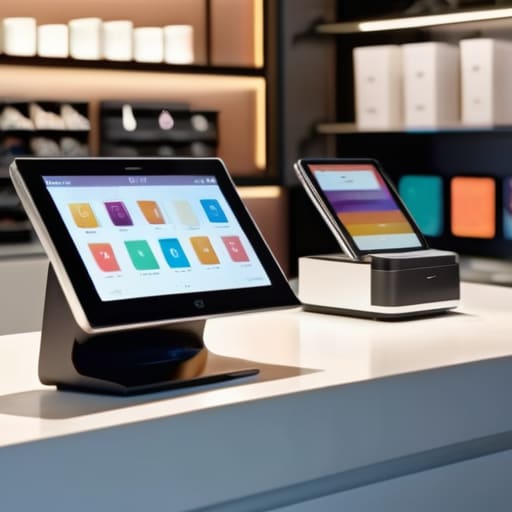
I still remember my first week in startup logistics, staring at a terminal screen while a line of frustrated customers stretched out the door because our software decided to “update” right at peak hour. It wasn’t just a glitch; it was a complete breakdown of the workflow. Most companies will try to sell you a high-end pos system packed with “revolutionary” AI features and shiny dashboards that you’ll never actually touch. But let’s be real: if your checkout process is lagging or your inventory counts are a mess, all those bells and whistles are just expensive noise getting in the way of your actual business.
I’m not here to pitch you on the latest tech hype or the most expensive subscription models on the market. My goal is to strip away the marketing fluff and look at the data of what actually keeps a business moving. I’ve tested enough tools to know that a good system should be invisible—it should work so seamlessly that you forget it’s even there. In this guide, I’m going to show you how to pick a setup that prioritizes speed and reliability over useless complexity, so you can stop fighting your tools and start running your shop.
Table of Contents
Cloud Based Retail Software That Wont Break Your Workflow
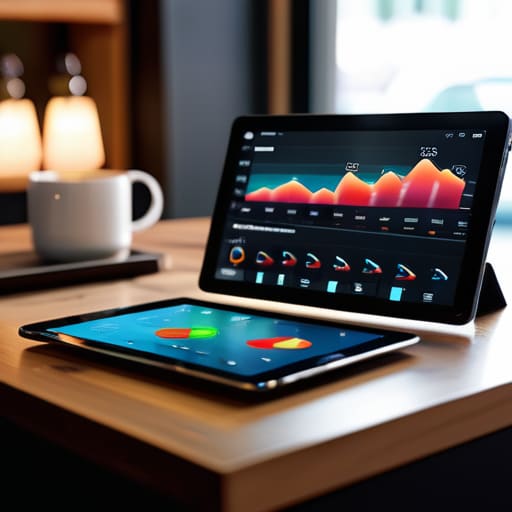
Most people think they need a massive, localized server setup to keep their store running, but that’s just a recipe for a headache. I’ve seen too many managers lose hours of work because their local database decided to crash during a rush. Switching to cloud-based retail software isn’t just about “being modern”—it’s about making sure your data is actually accessible from anywhere. If you’re sitting at home and need to check your numbers, you shouldn’t have to call the shop to find out if you’re profitable.
The real win here is how these tools handle the heavy lifting behind the scenes. I look for platforms that prioritize real-time stock management so I’m not accidentally selling the same hoodie online and in-store at the exact same second. You want a system that syncs your inventory across every channel without you having to manually update a spreadsheet every hour. If the software requires you to do extra data entry just to keep things accurate, it’s not a tool; it’s a chore. Stick to the stuff that automates the boring parts so you can focus on actually growing the business.
Ditch the Clutter With Simple Hardware for Retail Checkout
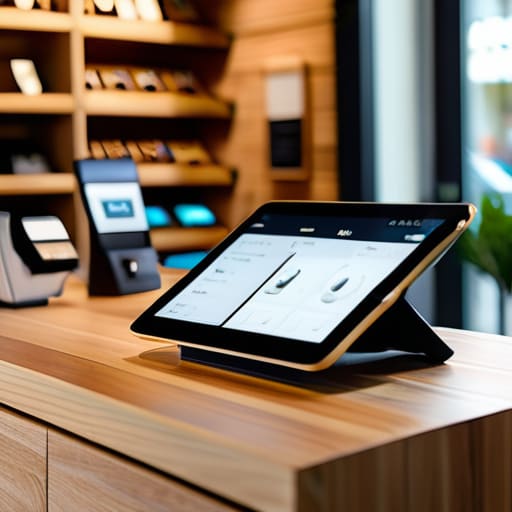
Most people make the mistake of thinking they need a massive, clunky terminal to run a serious shop. I’ve seen it happen in too many startups: they invest thousands in a heavy setup that looks cool in a catalog but ends up being a nightmare when a customer is staring at you during a rush. You don’t need a desk full of tangled wires. If you’re running a modern shop, you should be looking at streamlined hardware for retail checkout that fits your actual space, not some imaginary corporate office.
I’m a big believer in the “less is more” approach. A tablet paired with a reliable card reader and a compact receipt printer is usually more than enough to handle high-volume days. The goal is to minimize the friction between the customer handing you an item and you finishing the transaction. When you integrate these simple devices with contactless payment solutions, you aren’t just speeding up the line; you’re removing the awkward “does this work?” friction that kills the vibe of a good shopping experience. Keep your counter clean, keep your tech light, and stop letting your hardware get in the way of your sales.
5 Ways to Stop Letting Your POS Mess Up Your Day
- Prioritize offline mode. There is nothing worse than a customer standing there with a full cart while your entire business grinds to a halt because the Wi-Fi flickered. If your system can’t process a transaction without a constant cloud connection, it’s a liability, not a tool.
- Audit your integrations before you buy. I’ve seen too many people get stuck in “app hell” where their POS doesn’t talk to their inventory or their accounting software. If you have to manually export CSV files every night just to see your sales, the system has failed you.
- Look for “one-tap” workflows. Every extra click or menu layer is a micro-drain on your mental energy and a delay for your customers. If it takes more than three taps to perform a standard return or discount, the UI is overdesigned and needs to be ditched.
- Don’t get blinded by “all-in-one” marketing. A lot of these platforms promise to do everything from payroll to marketing analytics, but they usually end up doing all of them mediocrely. Pick a core system that handles sales and inventory flawlessly, then layer in specialized tools only when you actually need them.
- Test the hardware durability, not just the specs. A sleek tablet looks great in a demo, but in a high-volume retail environment, you need something that can handle being bumped, spilled on, and used for ten hours straight without overheating. Specs matter, but physical reliability wins every time.
The Bottom Line
Stop chasing every shiny new feature; if a POS doesn’t handle your core transactions without lagging, it’s useless.
Prioritize cloud integration so your data actually moves with you, rather than being trapped in a single, disconnected terminal.
Keep your hardware minimal to reduce points of failure—the less stuff you have to troubleshoot, the more you can actually focus on your customers.
The Real Cost of "Smart" Systems
Most POS systems are just glorified calculators wrapped in layers of bloatware that slow you down. If your software requires a manual just to process a simple return, it’s not an asset—it’s a bottleneck.
Mateo Salcedo
Stop Overthinking Your Setup
At the end of the day, choosing a POS system isn’t about finding the one with the longest list of bells and whistles or the most expensive “enterprise” branding. It’s about finding a tool that disappears into the background of your business. We talked about moving to the cloud to keep your data fluid and choosing hardware that doesn’t turn your checkout counter into a tangled mess of cables. If a piece of software requires a three-day seminar just to process a simple return, it’s not a productivity tool—it’s a liability. Stick to the fundamentals: reliability, speed, and a clean interface.
My advice? Don’t get caught up in the hype cycle of every new “revolutionary” feature that drops on Product Hunt. Your goal isn’t to have the most complex tech stack in your industry; your goal is to reclaim your time so you can actually focus on growing your brand. A great system should feel like a silent partner, handling the heavy lifting of transactions and inventory while you handle the actual work. Stop chasing the “perfect” setup and just build a workflow that works. Once you cut the noise, you’ll finally have the mental space to scale.
Frequently Asked Questions
How much am I actually going to spend on hidden fees once I move to a cloud-based system?
Look, this is where most people get burned. You see a low monthly subscription and think you’re golden, but the real damage happens in the fine print. Watch out for “processing fees” that eat your margins, mandatory hardware upgrades, and those sneaky “integration fees” just to connect your inventory to your accounting software. If they won’t give you a flat, transparent breakdown of every transaction cost upfront, walk away. Don’t let a “cheap” system become your biggest overhead.
Is it worth upgrading my hardware now, or can I just run a modern POS on my existing tablets?
Look, I’ve seen too many startups burn cash on “next-gen” hardware they didn’t need, but I’ve also seen them crawl to a halt because their tablets couldn’t handle a basic transaction. Check your specs first. If your current tablets have decent RAM and stable Wi-Fi, try the software first. But if you’re seeing lag during a rush or the battery is dying mid-shift, stop stalling. That friction is costing you more than a hardware upgrade.
What happens to my data and my ability to check out customers if my internet goes down for an hour?
If your internet drops, you shouldn’t be staring at a spinning loading icon while a line forms at the register. A solid POS needs an “offline mode.” This keeps your local database active so you can still scan items and process transactions. Once you’re back online, the system syncs everything to the cloud automatically. If your current setup can’t do that, it’s not a tool—it’s a liability. Don’t let a router glitch kill your sales.
