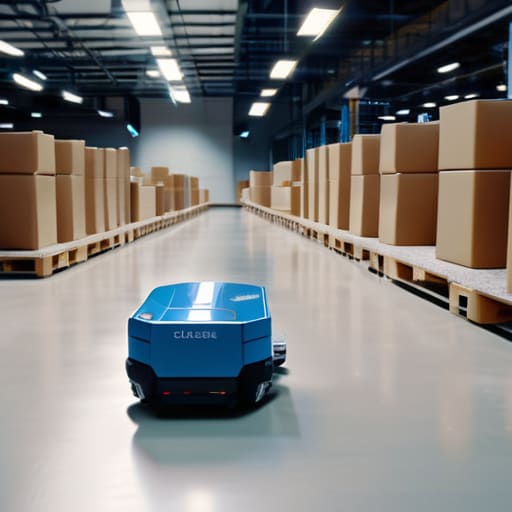
I remember sitting in a cramped, windowless warehouse during my early twenties, staring at a massive spreadsheet that was completely lying to me. We were losing thousands in margin because our “system” was basically just a glorified digital notepad that everyone forgot to update. I saw so many startups burn through cash trying to implement these massive, bloated enterprise suites that promised the world but delivered nothing but more data entry. Most people will tell you that automated inventory tracking is some magical, high-cost fix that requires a PhD to manage, but they’re selling you hype. In reality, most of those “solutions” just add more noise to your day instead of actually solving the problem.
I’m not here to pitch you a shiny new subscription or a complex setup that takes months to calibrate. I’ve spent enough time in the trenches of startup logistics to know what actually sticks and what just creates more work. In this guide, I’m going to strip away the marketing fluff and show you how to build an automated inventory tracking workflow that actually saves you mental energy. We’re focusing on tools that work, systems that scale, and most importantly, setups that let you get back to your actual job.
Table of Contents
- Get Real Time Inventory Visibility Without the Mental Noise
- Reducing Human Error in Warehousing Once and for All
- 5 Ways to Automate Your Workflow Without Losing Your Mind
- The Bottom Line: Stop Managing Chaos and Start Managing Systems
- The Real Cost of "Good Enough" Systems
- Cut the Noise and Start Scaling
- Frequently Asked Questions
Get Real Time Inventory Visibility Without the Mental Noise

The biggest drain on your focus isn’t the physical labor; it’s the constant, nagging uncertainty of whether your numbers are actually correct. If you’re still relying on end-of-day spreadsheets or manual spot checks, you’re playing a losing game. You need real-time inventory visibility so you aren’t constantly second-guessing your stock levels. When you can see exactly what’s moving through your warehouse the second it happens, you stop reacting to crises and start actually managing your flow.
This is where most people overcomplicate things by trying to build custom solutions, but the real win is just implementing inventory management software benefits that actually integrate with your physical space. Whether you’re looking at simple barcode scanning or scaling up with RFID technology for stock management, the goal is the same: removing the guesswork. You want a system that tells you the truth, not a system that requires you to babysit it. Once you bridge that gap between the physical shelf and your digital dashboard, the mental clutter just disappears.
Reducing Human Error in Warehousing Once and for All

Let’s be honest: manual data entry is a disaster waiting to happen. I’ve seen it a dozen times in startup logistics—someone misreads a SKU, forgets to log a shipment, or just gets tired and skips a step. Suddenly, your digital records look nothing like your actual shelves. This isn’t just a minor annoyance; it’s a massive drain on your mental energy. Reducing human error in warehousing shouldn’t be about hiring more people to double-check work; it should be about building a system where the error can’t happen in the first place.
The most effective way to do this is to remove the human element from the counting process entirely. Implementing something like RFID technology for stock management changes the game because it moves the burden of accuracy from a tired employee to a reliable sensor. Instead of someone squinting at a barcode, the system just knows what’s moving through the door. When you stop relying on manual input, you stop fighting fires caused by “oops” moments and actually start running a streamlined operation.
5 Ways to Automate Your Workflow Without Losing Your Mind
- Stop relying on spreadsheets that are outdated the second you hit save; integrate your tracking software directly with your sales channels so the data actually flows.
- Ditch the manual entry whenever possible by using barcode or RFID scanning—if you’re still typing SKU numbers into a box, you’re just asking for a typo.
- Set up automated low-stock alerts that actually trigger based on real lead times, not just some arbitrary number that doesn’t account for shipping delays.
- Connect your inventory data to your procurement system so your reordering process becomes a background task instead of a weekly crisis.
- Audit your tech stack to ensure your tools actually talk to each other; if you have to export a CSV just to move data from one app to another, your “automation” is broken.
The Bottom Line: Stop Managing Chaos and Start Managing Systems
Real-time data isn’t a luxury; it’s the only way to stop playing guessing games with your stock levels every single morning.
Automation isn’t about replacing people, it’s about stripping away the mindless, error-prone tasks that burn your team out.
If a tool adds more steps to your workflow instead of removing them, it’s not a solution—it’s just more noise you don’t need.
The Real Cost of "Good Enough" Systems
“If you’re still relying on spreadsheets and ‘gut feelings’ to manage your stock, you aren’t running an operation—you’re just managing chaos. Automation isn’t about buying shiny new software; it’s about reclaiming the mental bandwidth you lose every time a manual count goes wrong.”
Mateo Salcedo
Cut the Noise and Start Scaling

Look, the takeaway here is pretty simple. Automated inventory tracking isn’t some luxury “nice-to-have” for massive corporations; it’s a survival tool for anyone tired of playing catch-up with their own data. We’ve talked about how real-time visibility kills the constant anxiety of “do we actually have this in stock?” and how automation effectively eliminates the soul-crushing manual errors that derail your entire day. If you’re still relying on spreadsheets and gut feelings, you aren’t just being old school—you’re actively leaking time and money every single hour.
My advice? Don’t get caught in the trap of searching for the “perfect” software that promises the moon. Most of those tools are just expensive noise. Instead, find a system that fits your current workflow, integrates with what you already use, and actually does what it says on the box. The goal isn’t to have the most complex tech stack in the industry; the goal is to build a system so seamless that you barely even notice it’s running. Stop overcomplicating the setup and just build a workflow that works so you can finally focus on the parts of your business that actually matter.
Frequently Asked Questions
How much is this actually going to cost me upfront versus the time I'm losing right now?
Look, I get it. You’re staring at a price tag and wondering if it’s just another subscription to add to the pile. But you need to stop looking at the upfront cost and start looking at your “leaked” hours. Every time a picker grabs the wrong SKU or your stock counts don’t match the dashboard, you’re paying a hidden tax in wasted labor and lost sales. The software is an investment; the manual chaos is a recurring loss.
Do I need to overhaul my entire warehouse setup, or can I just layer this on top of what I already have?
Look, you don’t need to burn your warehouse to the ground and start over. That’s how you end up with massive downtime and a headache you didn’t ask for. Most of the tools I test are designed to be modular. You can usually layer automation onto your existing setup—like integrating a scanner app with your current spreadsheet or ERP. Start small, fix the biggest bottleneck first, and scale only when the workflow actually proves it’s worth the effort.
What happens if the software glitches—am I going to be stuck with a complete blind spot in my operations?
Look, I get it. The idea of a software glitch turning your warehouse into a black hole is terrifying. But here’s the reality: a glitch is a headache, but manual tracking is a slow-motion disaster. The key is choosing systems with local backups and offline modes. Don’t just buy the flashiest UI; look for tools that sync data continuously. If the cloud drops, you shouldn’t be blind—you should just be waiting for the sync to resume.
