
I remember sitting in a windowless logistics office three years ago, staring at a spreadsheet that had become so bloated it practically crashed my laptop every time I tried to update a single attendee’s dietary restriction. We had just dropped five figures on a “premium” event management software suite that promised to automate our entire lives, but instead, it just gave us ten more layers of menus to click through. It wasn’t a solution; it was just more digital noise that made a simple registration process feel like a full-time job in data entry.
I’m not here to sell you on the flashy enterprise platforms that look great in a sales demo but fall apart during a live event. My goal is to cut through the marketing fluff and show you which tools actually simplify your workflow and which ones are just expensive ways to complicate your day. I’ve tested the heavy hitters and the scrappy startups, so I’m going to give you the unfiltered truth about what actually works when the pressure is on.
Table of Contents
- Ditch the Bloat Event Automation Tools That Actually Work
- Stop Guessing With Real Time Event Analytics That Matter
- Stop Overcomplicating Your Setup: 5 Rules for Choosing Event Tech
- The Bottom Line: Stop Overcomplicating Your Setup
- ## The Truth About Tool Fatigue
- Stop Overcomplicating the Stack
- Frequently Asked Questions
Ditch the Bloat Event Automation Tools That Actually Work
Most people make the mistake of buying the most expensive suite on the market, thinking more features equals more efficiency. It doesn’t. In my experience, most “all-in-one” platforms are just a collection of half-baked tools that force you to learn a new UI just to send a simple confirmation email. If you’re constantly jumping between tabs to manage your guest list and your registration, your tech stack is broken. You need to focus on event automation tools that handle the repetitive, brain-dead tasks—like automated follow-ups and calendar invites—without requiring a manual.
I’m a big believer in a modular setup. Instead of fighting a bloated system, look for specialized event ticketing systems that integrate seamlessly with your existing stack. If the API documentation looks like a nightmare or the automation triggers are clunky, walk away. The goal is to build a workflow where data flows from the moment someone buys a ticket to the final post-event survey without you having to touch a single spreadsheet. Stop building complex systems just for the sake of it; just find the tools that let you focus on the actual experience rather than the logistics.
Stop Guessing With Real Time Event Analytics That Matter
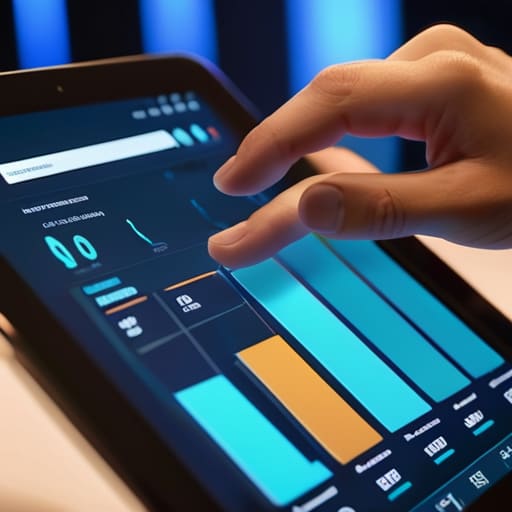
Most people treat event data like a post-mortem—they look at the numbers a week later when it’s too late to change anything. That’s a massive waste of resources. If you’re relying on manual spreadsheets to tell you how your sessions are performing, you’re essentially flying blind. You need real-time event analytics that actually tell a story about what’s happening right now. I’m talking about knowing which breakout sessions are hitting the mark and which ones are losing people before the session even ends.
When I’m testing different setups, I look for how well the data flows between your event ticketing systems and your actual engagement metrics. If you can’t see the direct line between someone buying a ticket and how they’re interacting with your content, your data is just noise. Stop chasing vanity metrics like total registrations and start looking at meaningful interaction patterns. If the data doesn’t help you make a decision in the moment—like pivoting a speaker or boosting a live poll—then it’s just more clutter in your dashboard.
Stop Overcomplicating Your Setup: 5 Rules for Choosing Event Tech
- Prioritize integration over features. If your registration tool doesn’t talk to your CRM or your email provider without a manual export/import, it’s not a tool—it’s a chore. I don’t care how many bells and whistles it has if it breaks my workflow.
- Test the “Three-Click Rule.” If you can’t find a critical piece of data or trigger a basic action within three clicks, the UI is garbage. Complexity is often just a mask for bad design that will slow your team down during live events.
- Look for “Invisible” Automation. The best software handles the boring stuff—like confirmation emails, attendee reminders, and badge generation—in the background. If you’re still manually checking boxes to see who has paid, you’re using the wrong system.
- Audit your data hygiene from day one. A tool is only as good as the data you put into it. Choose software that enforces clean data entry (like mandatory dropdowns instead of free-text fields) so your post-event reports don’t look like a mess.
- Avoid the “All-in-One” trap. A lot of platforms promise to do everything, but they usually do most things mediocrely. Sometimes, a specialized registration tool paired with a dedicated mobile app creates a much smoother experience than one bloated, mediocre suite.
The Bottom Line: Stop Overcomplicating Your Setup
If a tool requires more time to manage than the event itself, it’s not a productivity gain—it’s just more noise.
Focus on automation that handles the repetitive logistics, not software that just gives you more pretty dashboards to stare at.
Data is useless unless it tells you exactly where your workflow is breaking; ignore the vanity metrics and track what actually impacts your bottom line.
## The Truth About Tool Fatigue
Most event management software is just a glorified spreadsheet with a prettier interface; if a tool requires more time to manage than the actual event itself, it’s not a solution, it’s just more noise in your workflow.
Mateo Salcedo
Stop Overcomplicating the Stack

At the end of the day, the best event management software isn’t the one with the longest list of bells and whistles; it’s the one that disappears into the background. We’ve looked at how automation can kill the manual grunt work that eats your afternoon and how real-time analytics can stop you from flying blind. If a tool doesn’t help you automate a repetitive task or give you a clear, actionable data point, it’s just more noise in your system. Don’t fall for the marketing hype of “all-in-one” platforms that end up being “all-in-one” headaches. Stick to tools that solve specific friction points in your workflow and actually let you focus on the event itself rather than the software managing it.
My advice? Audit your current setup. If you find yourself spending more time managing your tools than you are managing your attendees, it’s time to pivot. Productivity isn’t about having the most complex dashboard; it’s about reducing the cognitive load required to get things done. Build a lean, mean tech stack that works for you, not the other way around. Stop fighting your software and start using it to reclaim your time. You’ve got real work to do.
Frequently Asked Questions
How do I know if a tool is actually going to automate my workflow or if it's just going to create more manual data entry for me?
Look for the “integration tax.” If a tool requires you to manually export a CSV just to upload it into another platform, it’s not automation—it’s just a digital chore. Real automation means the software talks to your existing stack (Slack, Google Workspace, CRM) without you acting as the middleman. If the setup process feels like you’re building a complex bridge instead of just plugging something in, run. It’ll end up creating more work, not less.
Is it worth paying for a premium all-in-one platform, or should I just stick to a stack of cheaper, specialized apps?
Look, I’ve spent way too many hours trying to force a “best-of-breed” stack to talk to each other via Zapier, only to have the whole thing break on a Tuesday morning. If you have a complex workflow, pay for the all-in-one. The “savings” from cheaper apps vanish the second you start wasting mental energy on manual data entry and broken integrations. Buy the platform if you want a system; buy the stack if you enjoy troubleshooting.
How much of my actual event data is being lost when I try to sync different tools together?
Honestly? Probably more than you think. Most people think a “sync” is a perfect mirror, but it’s usually just a messy game of telephone. When you’re forcing a CRM to talk to a registration platform via a buggy middleware, you’re losing custom fields, timestamp accuracy, and granular attendee behavior. You end up with “ghost data”—entries that exist in one place but vanish in the other. If your stack isn’t natively integrated, your data integrity is already bleeding.
