I spent three years in startup logistics watching brilliant teams drown in “all-in-one” software suites that promised to revolutionize their output but actually just created more administrative debt. Most people will tell you that you need a massive, expensive stack of product design tools to build something world-class, but honestly? Most of that is just expensive noise designed to keep you subscribed. I’ve seen more time wasted tweaking interface settings and managing plugin conflicts than actually designing products. If a tool doesn’t directly shorten your feedback loop or clear your head, it’s just another distraction sitting in your taskbar.
I’m not here to give you a glossy marketing brochure or a list of every shiny new app on Product Hunt. Instead, I’m going to break down the specific product design tools that actually survive a real-world workflow. I’ll show you what’s worth your monthly subscription and what’s just bloated hype masquerading as innovation. My goal is simple: help you strip away the clutter so you can stop managing your software and actually start building.
Table of Contents
- Streamline Your Uiux Design Workflow Without the Bloat
- Wireframing and Mockup Tools That Actually Work
- Stop Overcomplicating Your Stack: 5 Ways to Actually Use Your Tools
- The Bottom Line: Less Tooling, More Doing
- ## The Productivity Trap
- Stop Collecting Tools and Start Building
- Frequently Asked Questions
Streamline Your Uiux Design Workflow Without the Bloat
Most designers I talk to are drowning in “feature creep.” You download a new app because it promises a revolutionary way to build, but three days later, you’re just spending more time learning the interface than actually designing. To fix your ui/ux design workflow, you need to stop chasing every shiny new plugin and focus on the core transition from idea to execution. If your setup requires ten different tabs just to move from a rough sketch to a high-fidelity layout, your system is broken.
I’m a big believer in keeping the stack lean. Instead of juggling a dozen fragmented apps, lean into collaborative design platforms that handle the heavy lifting in one place. You want a setup where your team can jump into a file, leave a comment, and see updates in real-time without a massive sync delay. The goal isn’t to have the most complex toolkit; it’s to find the path of least resistance between your brain and the screen. If a tool doesn’t actively reduce your cognitive load, it’s just digital clutter.
Wireframing and Mockup Tools That Actually Work
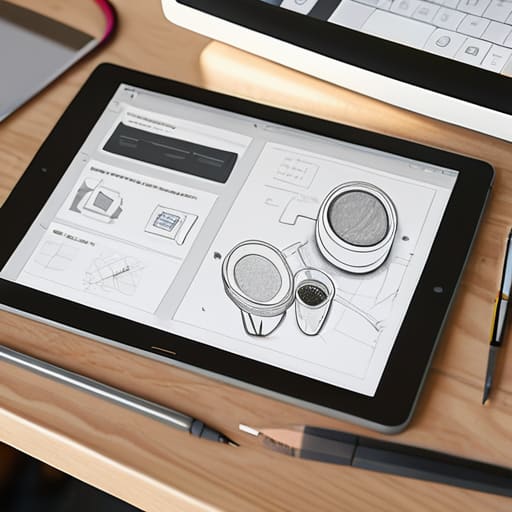
Most people jump straight into high-fidelity designs and end up stuck in a loop of endless revisions because they skipped the foundation. I’ve seen too many projects stall because the team spent days polishing colors before they even figured out the user flow. That’s why I prioritize wireframing and mockup tools that allow for rapid, low-stakes experimentation. You need something that lets you dump your ideas onto a digital canvas without the friction of pixel-perfect constraints.
If you’re looking to move from a rough sketch to something functional, don’t get bogged down by every feature a platform offers. I usually lean toward tools that act as robust collaborative design platforms, where stakeholders can leave feedback directly on the layout. This prevents the dreaded “email chain of death” and keeps everyone on the same page. The goal isn’t to find the flashiest software; it’s to find the one that gets your concept from your head into a shareable format with the least amount of friction possible. Stop chasing every new plugin and just find a setup that lets you build.
Stop Overcomplicating Your Stack: 5 Ways to Actually Use Your Tools
- Audit your subscriptions every quarter. If you haven’t opened a specific design plugin or prototyping tool in thirty days, kill the subscription. You aren’t “keeping your options open”; you’re just burning cash on features you don’t use.
- Prioritize single-source-of-truth tools. I can’t stand when the design team is using one version of a component library and the devs are looking at another. Pick a tool that handles handoffs natively so you aren’t spending half your day explaining pixels in Slack.
- Master the keyboard shortcuts, not the UI. If you’re constantly hunting through nested menus to find a basic tool, your software is slowing you down. A tool is only as good as your ability to use it without breaking your flow state.
- Don’t fall for the “all-in-one” trap. A lot of platforms claim they can do design, project management, and documentation, but they usually do all three mediocrely. It’s better to have a lean, specialized stack that actually communicates than one giant, clunky monster.
- Automate the repetitive stuff or get out of the way. If you’re manually renaming layers or resizing frames for the hundredth time, you’re doing it wrong. Use plugins or scripts to handle the grunt work so you can actually focus on the logic of the product.
The Bottom Line: Less Tooling, More Doing
Stop chasing every new shiny plugin; if a tool doesn’t directly shave minutes off your design cycle, it’s just digital clutter.
Focus on interoperability—your design tools are useless if they don’t talk to your developer handoff or project management systems.
Prioritize speed and low mental overhead; the best tool is the one that stays out of your way so you can actually solve problems.
## The Productivity Trap
Most people think they need a more complex tech stack to build better products, but usually, they just need fewer tools that actually do what they say they will. If a design tool adds more friction to your workflow than it removes, it’s not an asset—it’s just more noise.
Mateo Salcedo
Stop Collecting Tools and Start Building
Look, we’ve covered a lot of ground, from high-fidelity prototyping to the essential wireframing kits that keep your initial ideas from spiraling into chaos. The takeaway isn’t that you need a subscription to every shiny new platform hitting Product Hunt this week. It’s about finding the specific combination of UI/UX tools that actually eliminates friction in your process rather than adding another layer of management. Whether you’re leaning on industry standards or niche utility apps, the goal is simple: minimize the time spent fighting the software so you can spend more time actually designing.
At the end of the day, your tech stack is just a means to an end. I’ve seen too many designers get stuck in “setup loops,” spending more time tweaking their workspace than actually shipping products. Don’t fall into that trap. Pick a tool, master its core functions, and get out of your own way. A clean, functional workflow is worth more than a thousand expensive features you’ll never use. Stop chasing the perfect setup and just start building something that works.
Frequently Asked Questions
How do I avoid the "subscription trap" where I'm paying for five different tools that all do basically the same thing?
Audit your stack every quarter. I do this religiously. Open your bank statement, list every single SaaS subscription, and ask: “If I deleted this tomorrow, would my workflow actually break?” If the answer is “probably not,” cancel it. Most of us are paying for overlapping features because we’re afraid of losing a niche tool. Pick one powerhouse for design and one for prototyping, then ruthlessly cut the rest. Stop paying for redundancy.
Is it actually worth learning a heavy-duty industry standard like Figma, or can I get by with lighter, more specialized tools?
Look, if you’re just messing around with personal projects, a lighter tool is fine. But if you want to work in a professional environment, you need Figma. It’s not just about the features; it’s about the ecosystem. Every dev, PM, and stakeholder expects to jump into a Figma file. Learning it is a massive upfront time sink, but it prevents the friction of constant file exports and “version_final_v2” nightmares later. Just bite the bullet.
At what point does my tech stack stop being helpful and start becoming a distraction from the actual design work?
It’s the moment you spend more time tweaking your workspace than actually designing. If you’re jumping between three different prototyping tools just to “see which one feels faster,” or if you’ve spent your entire morning setting up a complex automation instead of moving pixels, you’ve crossed the line. Your stack should be a silent partner, not the main event. If the tool requires a manual just to start your workday, it’s just noise.
