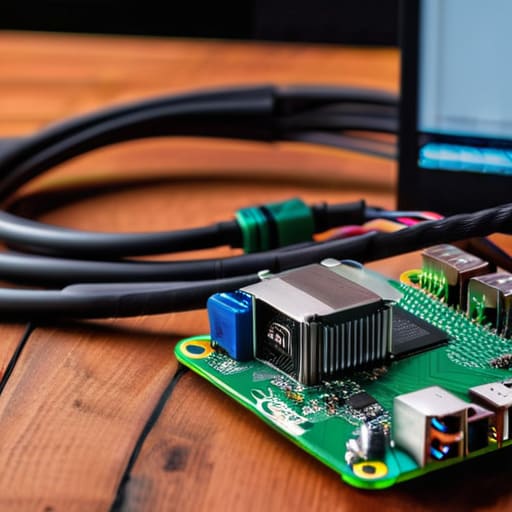
I’ve spent way too many hours watching people buy a Raspberry Pi, get overwhelmed by a mountain of tutorials, and then let the hardware collect dust on a shelf. Most people treat these tiny computers like expensive paperweights because they fall into the trap of chasing overly complex setups that actually add more work to their lives. I’m tired of seeing “cool” tech that serves no purpose other than being a distraction. If you’re looking into raspberry pi projects, you shouldn’t be looking for a way to waste your weekend; you should be looking for ways to automate the boring stuff and reclaim your mental energy.
In this post, I’m cutting through the noise to show you five specific raspberry pi projects that actually serve a functional role in a modern workflow. I’m not interested in theoretical builds that require a PhD to maintain; I want tools that just work. We’re going to focus on high-utility setups that solve real-world problems, from optimizing your home network to building dedicated hardware that streamlines your daily tasks. Let’s get into the builds that actually move the needle.
Table of Contents
A dedicated Pi-hole for network sanity
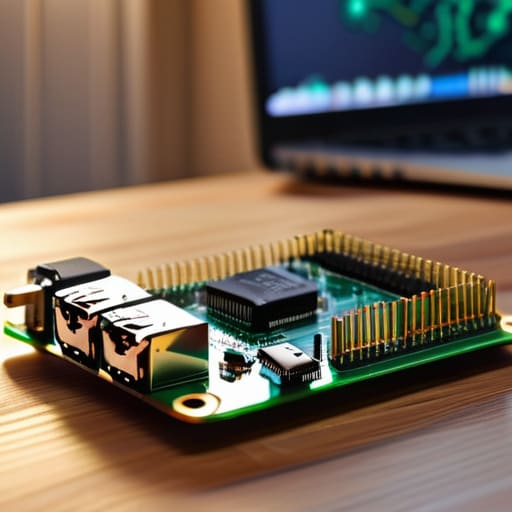
Most people think they need a massive enterprise-grade firewall to clean up their internet connection, but that’s just more complexity for the sake of complexity. I set up a Pi-hole on an old Raspberry Pi Zero a while back, and it’s been a total game changer for my focus. It acts as a DNS sinkhole that blocks ads and tracking scripts at the network level, meaning you don’t have to install buggy browser extensions on every single device you own.
The ultimate distraction-free music station

I’ve spent way too much money on “smart” speakers that constantly try to sell me subscriptions or listen to my private conversations. If you want high-fidelity audio without the data harvesting, building a dedicated music server using Volumio or Moode Audio on a Pi is the move. You can hook it up to some decent DACs and have a completely isolated audio system that plays your local FLAC files or Spotify without the usual software bloat.
A private cloud that doesn't suck

Relying entirely on Google Drive or Dropbox is a massive single point of failure, and frankly, I don’t like how much control they have over my files. Using a Raspberry Pi to run Nextcloud gives you a private, self-hosted alternative that handles everything from file syncing to calendars. It’s the perfect way to build a personal data silo that actually belongs to you, rather than renting space on someone else’s server.
Low-latency retro gaming rig
Look, I love my mechanical keyboards and my high-end PC, but sometimes I just want to play some old-school platformers without the overhead of a modern OS. Setting up RetroPie on a Pi is the most efficient way to build a dedicated gaming station that doesn’t take up half your desk or require a $2,000 GPU. It’s a contained ecosystem designed for one thing: playing games.
A smart home hub that actually stays local
Most “smart” home setups are a nightmare of proprietary apps that only work when your internet connection is stable. I hate that. By using a Raspberry Pi to run Home Assistant, you can bring all your different smart devices into one interface that runs entirely on your local network. This means your lights still turn on even if your ISP decides to have an outage, and your data isn’t being shipped to a server in another country.
The Bottom Line
Don’t get caught in “tutorial hell”—pick one project that solves a real friction point in your daily routine and actually build it.
Avoid the trap of over-engineering; a Raspberry Pi is a tool to simplify your life, not a new way to spend your weekends troubleshooting complex code.
Focus on utility over hype; if a project doesn’t save you time or automate a boring task, it’s just more digital noise you don’t need.
The real value of a Pi
Most people buy a Raspberry Pi to build some over-engineered gadget that just gathers dust on a shelf. Don’t fall for that. The only reason to touch a Pi is to automate a repetitive task or fix a specific bottleneck in your workflow. If it doesn’t save you ten minutes of manual work every single day, it’s just an expensive paperweight.
Mateo Salcedo
Cut the Noise and Just Build
Look, we’ve gone through a lot of hardware and software here, but the takeaway is simple: don’t let the complexity of these projects scare you off. Whether you’re setting up a Pi-hole to kill ads at the network level or building a dedicated retro gaming rig, the goal isn’t to have the most expensive setup on your desk. It’s about creating targeted solutions for specific annoyances in your digital life. If a project doesn’t actually save you time, reduce your digital clutter, or solve a genuine problem, it’s just another piece of hardware taking up space. Stick to the functional workflows that actually move the needle.
At the end of the day, a Raspberry Pi is just a tool, not a trophy. I see way too many people get stuck in “tutorial hell,” spending weeks tweaking settings for a device they barely use. Stop overthinking the perfect configuration and just pick one project from this list to get started. The real value comes from the moment of execution—when you finally flip the switch and realize you’ve actually automated a task or reclaimed your bandwidth. Stop chasing the hype and start building something that actually works for you.
Frequently Asked Questions
Do I actually need a specific model, or can I just use an old Pi 3 I have lying around?
Honestly? Don’t go out and buy a Pi 5 just for the sake of it. If you’ve got a Pi 3 gathering dust, use it. For most of the projects I listed—like a Pi-hole or a simple file server—a Pi 3 is more than enough. It’s only when you start pushing heavy workloads, like media transcoding or desktop replacement, that you’ll actually feel the bottleneck. Test your old hardware first; save your money for tools that actually matter.
Is it worth the time to build these, or am I better off just buying a dedicated device?
Look, if you just want something that works out of the box with zero friction, buy the dedicated device. Life is too short to troubleshoot driver issues when you just want to play a game or host a file. But if you want a tool that grows with you—something you can actually customize to fit your specific workflow—build it. Build for the utility, not the hobby. If it doesn’t save you time, don’t bother.
How much am I going to end up spending on extra hardware like SD cards and power supplies?
Look, don’t let the base price fool you. If you’re buying a Pi, you’re actually buying a small ecosystem. Budget at least $30–$50 extra for the essentials. You need a high-endurance microSD card (don’t cheap out here, or your data will corrupt in a week) and a reliable power supply that actually delivers steady voltage. Skip the generic phone chargers; they’ll cause undervoltage headaches. Get the right gear once, or you’ll spend more fixing it later.
