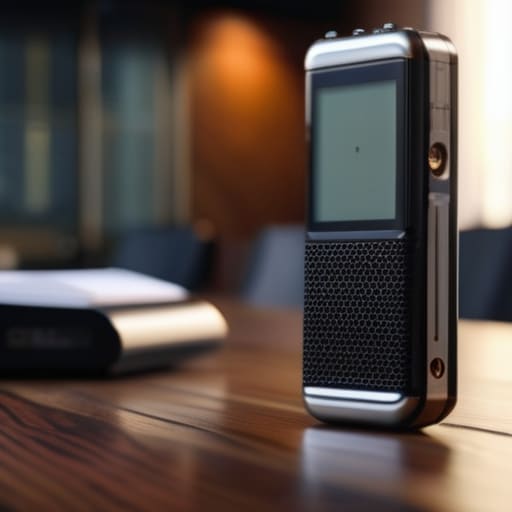
I spent three years in startup logistics watching people lose hours every week because they were too busy typing out notes to actually listen to what was happening. Most companies try to sell you some bloated, enterprise-grade “AI assistant” that costs a fortune and requires a twenty-minute setup just to capture a single thought. It’s pure noise. You don’t need a complex ecosystem; you just need a reliable voice recording tool that gets out of your way so you can capture an idea before it vanishes.
I’m not here to walk you through a feature list of every shiny new app on the market. Instead, I’m going to show you which tools actually survive a real-world workflow and which ones are just expensive hype. I’ve tested the heavy hitters to see which ones actually turn raw audio into actionable data without making you do extra manual work. My goal is simple: find the setup that saves you mental energy so you can stop managing your software and start actually getting things done.
Table of Contents
- Ditch the Noise Real Time Dictation Tools That Actually Work
- Forget Manual Typing Why Automated Transcription Services Save Your Brain
- Stop overcomplicating it: 5 ways to actually use voice tools without the headache
- The bottom line: Stop overcomplicating your audio workflow
- The reality of the "productivity" trap
- The Bottom Line
- Frequently Asked Questions
Ditch the Noise Real Time Dictation Tools That Actually Work

Most people treat recording audio like a digital graveyard—you capture a thought, save a file, and then it sits there forever, never to be seen again. That’s not a workflow; it’s just clutter. If you want to actually move the needle, you need to stop relying on passive storage and start using real-time dictation tools that turn your spoken words into actionable text immediately. I’ve tested enough setups to know that if you have to manually transcribe a memo later, you’ve already lost the battle against friction.
The goal is to bridge the gap between a fleeting idea and a finished task. High-quality speech to text software allows you to dump your brain into a document while you’re walking or driving, without the cognitive load of typing. I don’t care about fancy features or high-fidelity studio effects; I care about accuracy and speed. If the tool can’t handle my casual cadence or catch my technical jargon without me spending twenty minutes fixing typos, it’s dead weight in my stack. Find something that integrates directly into your notes so the data actually flows where it needs to go.
Forget Manual Typing Why Automated Transcription Services Save Your Brain

Look, I used to be a chronic note-taker. I’d sit in meetings or brainstorm on walks, typing furiously on my laptop, thinking I was being “productive.” In reality, I was just creating a massive backlog of messy notes that I never actually looked at again. The problem isn’t the information; it’s the friction of moving it from your head to a format that matters.
This is where automated transcription services actually earn their keep. When you stop trying to transcribe in real-time and instead focus on high-quality digital audio capture, something shifts. You stop worrying about catching every syllable and start focusing on the actual logic of your ideas. You aren’t just capturing sound; you’re capturing thought without the cognitive load of manual data entry.
If you’re still manually cleaning up your notes, you’re losing hours every week to low-value busywork. Switching to reliable speech to text software isn’t about being lazy—it’s about protecting your mental bandwidth. Let the machine handle the tedious part of turning spoken words into searchable text so you can get back to the high-level work that actually moves the needle.
Stop overcomplicating it: 5 ways to actually use voice tools without the headache
- Get a decent mic. I don’t mean a studio setup, but stop trying to use your laptop’s built-in mic in a noisy cafe. If the audio is garbage, the transcription will be garbage, and you’ll end up spending more time fixing typos than you saved by recording.
- Dictate in “brain dumps,” not scripts. Don’t try to sound professional while you’re talking. Just vent your thoughts, ideas, or meeting notes exactly how they come to you. You can clean up the syntax later; the goal is capturing the raw data before it evaporates.
- Use the “context hack.” Before you start recording, say the date, the project name, and who you’re talking to. It sounds redundant, but when you’re searching through a folder of files six months from now, those extra five seconds of audio are a lifesaver.
- Audit your workflow, not just the tool. A voice recorder is useless if the text just sits in an app you never check. Make sure your tool integrates directly with where you actually work—whether that’s Notion, Slack, or your task manager.
- Don’t fall for the “all-in-one” trap. You don’t need a massive, expensive suite that tries to manage your calendar, your emails, and your life. Find a tool that does one thing—capturing and converting your voice—and does it flawlessly.
The bottom line: Stop overcomplicating your audio workflow
Stop treating transcription like a luxury; it’s a baseline requirement if you want to stop wasting mental energy on manual data entry.
Don’t get distracted by flashy AI features that don’t improve your output—pick a tool that handles the heavy lifting and stays out of your way.
The goal isn’t to have the most complex setup, it’s to get your ideas from your head into a usable format with as little friction as possible.
The reality of the "productivity" trap
“Most people think they need a complex setup to capture ideas, but the best tool is actually the one that stays out of your way. If you have to fight your software just to record a thought, you’ve already lost the mental momentum you were trying to save.”
Mateo Salcedo
The Bottom Line

Look, we’ve covered a lot of ground, from real-time dictation to full-scale automated transcription. The takeaway is pretty simple: stop treating your voice like an afterthought. Whether you’re using a lightweight tool to capture a quick idea while walking or a heavy-duty service to turn a two-hour meeting into actionable notes, the goal is the same—removing the friction between your thoughts and your digital workspace. You don’t need a complex, ten-step setup to make this work. You just need a tool that stays out of your way so you can actually get back to your real work instead of fighting with a keyboard.
At the end of the day, your brain has a finite amount of bandwidth every single day. Don’t waste it on the low-level grunt work of manual data entry or transcribing your own voice memos. Every minute you spend typing out something you could have just said is a minute stolen from your high-value tasks. My advice? Pick one tool from this list, integrate it into your workflow this week, and stop overcomplicating your life. Focus on building systems that work for you, not the other way around. Your future, less-stressed self will thank you.
Frequently Asked Questions
How do I know if the transcription is actually accurate enough to skip the manual editing phase?
Look, I’ve spent way too many hours fixing broken transcripts. Here’s my rule of thumb: run a 60-second stress test. Pick a clip with background noise or technical jargon—stuff that usually trips up software. If you’re spending more than two minutes fixing that one minute, the tool is trash for your specific workflow. If it hits 90%+ accuracy on the hard parts, you can safely ditch the manual edit and move on.
Which tools actually integrate with my existing workflow instead of just being another tab I have to manage?
If it doesn’t live where you already work, it’s just more digital clutter. I look for tools with native integrations or solid API support. For me, that means anything that pushes transcripts directly into Notion, Slack, or Obsidian. If I have to manually copy-paste text from a separate browser tab into my project management tool, the “productivity” gain is a lie. Look for tools that act as a bridge, not another destination.
Is the privacy trade-off worth it, or am I handing my sensitive meeting data over to a random server?
Look, I get the hesitation. If you’re recording sensitive client calls or proprietary strategy sessions, you can’t just dump them into any random cloud app. Most “free” tools are basically data vacuums. If you want to use these, stick to platforms with SOC2 compliance or end-to-end encryption. If a tool doesn’t have a clear, readable privacy policy about how they use your audio for training, don’t touch it. Your data is worth more than a productivity hack.
