
I spent three years in startup logistics watching brilliant teams grind to a halt because they were forced to use a “state-of-the-art” learning management system that felt more like a digital filing cabinet from 2005. Most companies treat an LMS like a massive, expensive trophy they can show off in board meetings, but in reality, they just buy more feature bloat that nobody actually uses. I’ve seen too many managers dump thousands into software that promises “seamless integration” only to end up with a platform so clunky it actually increases the time it takes to onboard a single new hire.
I’m not here to sell you on the marketing gloss or the shiny enterprise dashboards that look great in a demo. My goal is to cut through the noise and help you find a learning management system that actually gets out of your way. I’m going to break down what matters—speed, usability, and actual workflow integration—so you can stop managing software and start actually training your people. Let’s find a system that works as hard as you do without adding more mental clutter to your plate.
Table of Contents
- Cut the Noise Essential E Learning Platform Features That Actually Matter
- Ditch the Manual Grind With Smart Onboarding Automation Tools
- Stop over-engineering your training: 5 ways to keep your LMS lean
- The bottom line: Stop overthinking your LMS
- The real cost of "feature-rich" software
- Stop overthinking the stack
- Frequently Asked Questions
Cut the Noise Essential E Learning Platform Features That Actually Matter

Most people go into an LMS search looking for a massive feature list, but that’s exactly how you end up with “shelfware”—tools you pay for but never actually use. I’ve seen too many teams get paralyzed by complex interfaces when all they really needed was onboarding automation tools to get new hires up to speed without a manual hand-holding session. If the software requires a PhD just to assign a single module, it’s failing you.
When I’m auditing new software, I look for two things: automation and data that actually tells a story. You don’t need a million bells and whistles; you need digital learning administration that handles the grunt work for you. This means automated reminders, seamless integrations with your existing stack, and a clean UI. Stop chasing every shiny new plugin and focus on the core e-learning platform features that reduce your manual workload. If a tool doesn’t help you identify a skill gap or automate a compliance check within three clicks, it’s just adding more noise to your dashboard. Keep it lean, keep it functional, and let the system do the heavy lifting.
Ditch the Manual Grind With Smart Onboarding Automation Tools
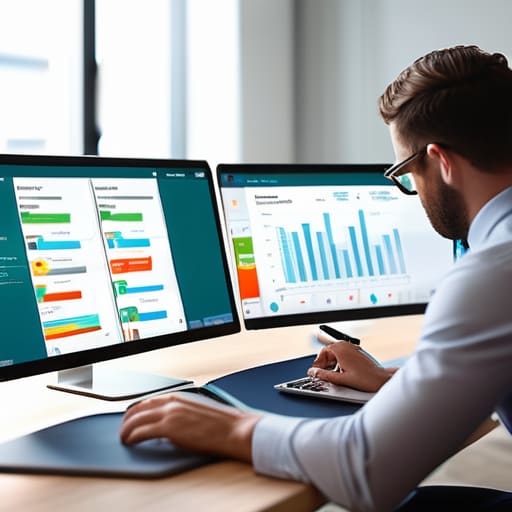
If you’re still manually emailing PDFs and tracking training progress in a spreadsheet, you aren’t “managing” anything—you’re just babysitting data. I’ve seen it happen in too many startups: a new hire joins, and instead of hitting the ground running, they spend their first week hunting down login credentials and outdated training docs. This is where onboarding automation tools become a non-negotiable part of your stack. You need a system that triggers the right modules the second a new user is added to your directory, without you having to click a single button.
The goal isn’t just to check boxes; it’s to create a seamless flow where the tech handles the heavy lifting. High-tier enterprise training solutions should do more than just host videos; they should automate the entire lifecycle of a user’s journey. When your digital learning administration is set up correctly, the platform handles the reminders, the assessments, and the certification tracking. This allows you to stop playing administrative assistant and start focusing on actual operations. Stop treating your onboarding like a manual chore and start treating it like a scalable system.
Stop over-engineering your training: 5 ways to keep your LMS lean
- Prioritize UX over flashy features. If your team needs a 20-page manual just to navigate the learning platform, you’ve already lost. A good LMS should be as intuitive as your favorite messaging app—click, learn, get back to work.
- Audit your content frequency. Don’t dump a massive library of outdated PDFs into the system and call it “training.” It creates digital clutter. I’d rather see three high-impact, updated modules than a thousand pieces of useless noise.
- Automate the boring stuff. If you’re manually assigning courses to every new hire, you’re wasting your own time. Set up trigger-based enrollment so the system handles the logistics while you focus on actual operations.
- Focus on data that actually tells a story. I don’t care about “total minutes spent logged in.” I care about completion rates and skill gaps. If the analytics don’t help you make a decision, they’re just vanity metrics.
- Build for mobile-first workflows. People aren’t going to sit at a desk for an hour to finish a module. If they can’t knock out a quick training session on their phone during a commute or a break, they won’t do it. Period.
The bottom line: Stop overthinking your LMS
If a tool requires a full-time admin just to keep it running, it’s not a productivity tool—it’s a liability. Prioritize automation and intuitive UI over a massive list of features you’ll never touch.
Focus on integration, not isolation. Your LMS shouldn’t be another silo; it needs to talk to your existing tech stack so you aren’t constantly copying and pasting data between windows.
Measure success by time saved, not by how many modules you’ve uploaded. A good system should clear your plate and get your team trained without adding more noise to your workday.
The real cost of "feature-rich" software
Most LMS platforms are just glorified file folders that eat up your time with unnecessary clicks. If a tool doesn’t actively reduce your cognitive load and automate the boring stuff, it’s not a solution—it’s just more digital clutter you have to manage.
Mateo Salcedo
Stop overthinking the stack

Look, we’ve covered a lot, but it really boils down to this: an LMS shouldn’t be another project you have to “manage.” If you’re spending more time troubleshooting the platform than actually training your team, the tool has already failed you. Focus on the essentials—automation that actually removes manual tasks, features that don’t clutter your UI, and a system that integrates into your existing workflow rather than forcing you to build a new one around it. At the end of the day, you aren’t looking for the most expensive software on the market; you’re looking for the one that actually clears your plate and lets your team get back to their real jobs.
Don’t fall into the trap of “feature chasing” just because a vendor promises a shiny new AI integration or a complex dashboard. Most of that is just expensive noise designed to inflate their subscription price. My advice? Pick a system that is stable, intuitive, and stays out of your way. Build a workflow that works for your specific scale, then stop tweaking it and start using it. Productivity isn’t about having the most complex setup; it’s about having the simplest system that gets the job done. Now, go close those extra tabs and get to work.
Frequently Asked Questions
How do I figure out if an LMS is actually going to save us time or if it's just going to become another bloated tool my team refuses to use?
Look, don’t get blinded by a flashy demo. Most LMS sales pitches are just lists of features that look great on paper but die in real-world workflows. To see if it’s worth it, run a “friction test.” If it takes more than three clicks for your team to find what they need, or if the UI feels like a relic from 2005, they won’t use it. If it adds more admin work than it automates, it’s just noise.
Is it worth paying for a premium platform with all the bells and whistles, or can I get away with a much simpler, cheaper setup?
Look, I’ve seen both sides. If you’re a solo founder or a tiny team, don’t get seduced by the “enterprise” shiny objects. You don’t need a $500/month platform just to host three PDFs and a quiz. Stick to a lean, cheap setup until your workflow actually breaks. But the second you find yourself spending more time managing the tool than actually training people, that’s when you pay for the premium version. Efficiency over ego.
How do I integrate a new learning system into our current tech stack without creating a massive manual data entry headache?
Don’t try to move everything manually; that’s how you end up with a data nightmare and a week of wasted time. You need to look for an LMS with a robust API or native integrations for your existing stack—specifically your HRIS or CRM. If it doesn’t talk to your current tools, it’s just another silo. Aim for seamless SSO and automated user provisioning so your data flows without you having to babysit it.